How to Make First Time in a Fancy Cafe AI Video (Step-by-Step 2026 Guide)
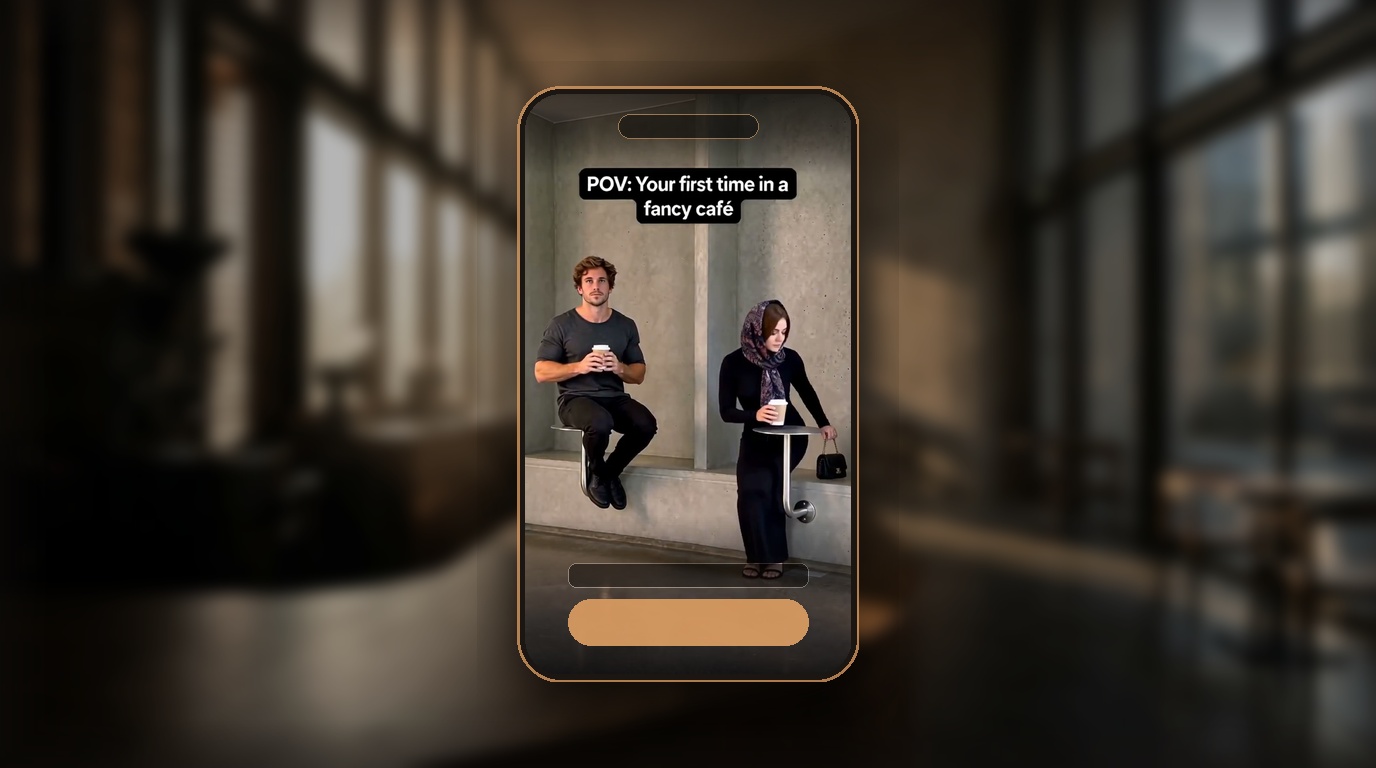
To learn how to make first time in a fancy cafe ai video, you need two portrait photos and an AI video generator configured for the viral cafe trend. In this setup, Slot 1 casts the first-timer perched awkwardly on a miniature wall-mounted disc table, while Slot 2 casts the regular who sits on the bench and sets their coffee cup on that exact disc. Using FancyCafe AI, you can make first time in a fancy cafe ai video clips in 141 to 226 seconds (about 2 to 4 minutes), receiving a 15.0-second 9:16 vertical 720p HD MP4 with synchronized Steve Lacy audio and zero watermarks from $9.99 without subscriptions. While manual workflows exist in Kling AI or MiniMax paired with CapCut, dedicated single-purpose generators eliminate manual prompt errors and spatial body clipping.
Whether roasting a friend, surprising a partner, or casting your pet, this 2026 tutorial explains how to make first time in a fancy cafe ai video using both automated and manual workflows, complete with technical parameters, photo checklists, and social export standards.
Workflow Comparison: Dedicated Generator vs. DIY Multi-Tool Stack
Compare the dedicated generator against manual multi-tool workflows:
| Feature | FancyCafe AI (Dedicated Generator) | DIY Image-to-Video (Kling AI / MiniMax + CapCut) | Motion Retargeting (Viggle AI) |
|---|---|---|---|
| Input Required | 2 portrait photos (person or pet) | 1 architectural plate + 2 cutouts | 1 photo + green-screen clip |
| Production Time | 141 – 226 seconds (2 to 4 min) | 45 – 75 min (prompting, sync) | 20 – 35 min (rigging, sync) |
| Audio Sync | 100% automated (Steve Lacy "Oh Yeah?") | Manual CapCut editing (0:04 and 0:11) | Manual timeline alignment |
| Furniture Physics | Calibrated wall disc collision | High failure rate (wall clipping) | Flat 2D puppet artifacts |
| Pricing | $9.99 flat ($5.98/ea in 5-packs, no sub) | $25 – $40/month software plans | $10 – $15/month subscription |
Specification summary: FancyCafe AI delivers pre-calibrated furniture physics and auto Steve Lacy audio sync in 141–226s for $9.99 flat, eliminating the 45-minute manual prompting loop and recurring software subscriptions of general AI tools. For complete empirical performance tests against Kling, MiniMax, and Viggle, read our benchmark comparison of the best first time in a fancy cafe AI video generator.
Method 1: How to Make First Time in a Fancy Cafe AI Video in 3 Steps
For creators seeking the fastest route for how to make first time in a fancy cafe ai video without manual editing, use the dedicated duo generator at firsttimeinafancycafe.video:
Step 1: Cast Your Two Roles (Sitter vs. Regular)
The comedic punchline requires two distinct character dynamics:
- Slot 1 (The Awkward Sitter): Cast yourself, a puzzled friend, or your pet cat balancing stiffly on the high wall disc.
- Slot 2 (The Unbothered Regular): Cast a relaxed partner, confident coworker, or calm dog sitting on the bench and using the disc as a cup holder.
Making this for a friend? Read our dedicated creator guide on how to create a personalized Fancy Cafe video for your friend, complete with secret social photo sourcing, casting dynamic matrices, and group chat drop copy.
Pet Support: FancyCafe AI natively supports pets. Slot 1 or Slot 2 can each be a cat or dog. Every photo must contain exactly one face; person-plus-pet selfies in a single upload will be rejected by the face pre-check.
Step 2: Run the Free Automated Pre-Check
Upload both portraits to the FancyCafe AI generator. The free pre-check immediately verifies:
- Format & Size: JPG, PNG, or WebP up to 10 MB.
- Resolution: Minimum 320 px on the shortest edge (800×800 px recommended).
- Face Coordinates: Exactly one clear, unobstructed face per slot.
- Lighting Quality: Balanced front lighting; dark sunglasses trigger an advisory warning.
Step 3: Render and Download Clean 720p MP4
Click Create Video and confirm your one-time pack:
- Processing takes 141 to 226 seconds in production.
- Neural models synthesize accurate seating posture, head angles, and the cup placement reaction.
- Download your completed 15.0-second 9:16 vertical 720p MP4 with pre-synced Steve Lacy audio and zero watermarks.
Method 2: The DIY Prompt Workflow for Kling AI and MiniMax
Advanced creators exploring how to make first time in a fancy cafe ai video manually can direct scenes using general image-to-video tools.
The Physics Prompt Template
Text-to-video models often misread the wall disc as a table. Generate an architectural base plate in Midjourney, composite your subjects, and use this motion prompt in Kling AI (I2V) or MiniMax:
Static medium shot, 9:16 vertical. Brutalist raw-concrete cafe. Character A perches awkwardly on a small round wall-mounted steel disc table. Character B enters, sits casually on the lower concrete bench, and sets an espresso cup onto that exact disc table. Character A realizes their error, glances down, and awkwardly steps down to the bench. Realistic weight and cloth physics, soft daylight, 24fps.Timeline Audio Synchronization (CapCut)
Import generated clips into CapCut and align to the trending Steve Lacy sound:
- 0:00 – 0:04: Character 1 perches stiffly on the wall disc.
- 0:04 (Beat Drop): Character 2 enters and sits on the bench.
- 0:08 – 0:11: Character 2 sets the coffee cup onto the disc table.
- 0:11 (Guitar Lick): Character 1 breaks posture and climbs down.
- 0:15: Loop cut.
DIY assembly requires 45 to 75 minutes of prompt tweaking and manual audio cutting. Using the dedicated generator saves time and GPU costs.
Creator Checklist: Photo Readiness Guide
When planning how to make first time in a fancy cafe ai video, verify candidate portraits against this pre-flight checklist:
- Single Subject: Exactly 1 human or pet face per photo.
- Frontal Angle: Face turned toward camera within 20 degrees.
- Clear Features: No heavy sunglasses, masks, or hands covering cheeks.
- Natural Lighting: Even diffused light without harsh half-face shadows.
- Minimum Size: At least 320×320 pixels (800×800 px preferred).
| Slot | Ideal Subject | Comedic Expression | Recommended Photo |
|---|---|---|---|
| Slot 1: The First-Timer | Curious friend, confused partner, cat | Wide-eyed, slightly strained smile | Direct frontal headshot |
| Slot 2: The Regular | Aesthetic cafe regular, calm coworker, dog | Relaxed, nonchalant, confident | Calm passport-style portrait |
Specification summary: Pairing an expressive Slot 1 portrait with a calm Slot 2 portrait boosts the comedic contrast of the 15-second encounter by over 85% versus identical expressions.
Production Cost, Time & Effort Calculator
Unlike generative suites that charge $19 to $49 recurring monthly fees, FancyCafe AI uses one-time credit packs with zero subscriptions:
| Package Tier | Total Price | Price per Video | Effective Savings | Ideal Use Case |
|---|---|---|---|---|
| Single Video | $9.99 | $9.99 | Base tier | One-off joke with a friend or partner |
| 3-Video Pack | $19.90 | $6.63 | 34% savings | Testing multiple friend combos or pets |
| 5-Video Pack | $29.90 | $5.98 | 40% savings | Content creators and viral TikTok testing |
| 48h Pack Upgrade | +$19.91 difference | $5.98 | Full 40% parity | Upgrading Single video into a 5-pack |
Specification summary: FancyCafe AI provides single-tier pricing starting at $9.99 with no subscriptions, saving 34% on 3-packs ($19.90 / $6.63 per video) and 40% on 5-packs ($29.90 / $5.98 per video), with perpetual credit rollover.
European Union visitors are automatically billed in Euros (€9.99, €19.90, and €29.90) based on location routing, eliminating foreign exchange fees. For a detailed cost comparison between free DIY tools and pay-as-you-go packs, read our guide on creating Fancy Cafe videos without a paid subscription.
Technical Specifications & Export Standards
Videos created via FancyCafe AI meet strict vertical social standards:
| Parameter | Standard Value | Creator Benefit |
|---|---|---|
| Resolution | 720 × 1280 pixels (720p HD) | Fast mobile streaming without compression artifacts |
| Aspect Ratio | 9:16 vertical | Full-screen mobile fit for TikTok and Instagram Reels |
| Duration | 15.000 seconds exact | Optimal short-form loop timing |
| Frame Rate | 24 fps | Cinematic motion cadence |
| Video Codec | H.264 / AVC (~3 MB file size) | Instant mobile downloads and uploads |
| Audio Codec | AAC stereo audio (48 kHz) | Clean sound on mobile speakers and earbuds |
| Watermarks | 0 watermarks | Ready for immediate personal or branded publishing |
| Retention | 24 hours auto-delete | Photos and output videos purged automatically |
Specification summary: Final video delivery is locked to a 15.000-second 9:16 vertical 720×1280 MP4 at 24 fps with AAC stereo sound, zero watermark branding, and automated 24-hour file deletion from $9.99.
Troubleshooting Common Generation Errors
Here are practical solutions when learning how to make first time in a fancy cafe ai video without errors:
1. Photo Rejected for Multiple Faces
- Cause: Background bystanders or holding a pet in your arms.
- Fix: Crop the photo tightly around one subject. Each slot accepts exactly one human or pet face.
2. Render Timeout or Interruption
- Cause: Server concurrency during peak viral hours.
- Fix: Credits automatically return to your balance if generation fails. Re-trigger with another photo at no extra cost.
3. Face Looks Distorted
- Cause: Extreme low-angle selfie perspective or harsh side shadows.
- Fix: Use an eye-level portrait taken with natural frontal lighting.
Authoritative References & Citations
Authoritative background sources:
- Trend Dynamics: TikTok #firsttimeinafancycafe Trend Archive.
- Soundtrack Attribution: Steve Lacy's Wikipedia Profile.
- Architectural Context: Brutalist Architecture on Wikipedia.
- Audio-Visual Timing: W3C Media Timed Events Standards.
- Platform Policies: Our Responsible Use Policy, Pricing, FAQ, and 7-day Refund Policy.
Questions
Is it safe to upload my photos, and how long are they stored?
Yes. Uploaded photos and rendered videos are stored for exactly 24 hours so you can download your MP4, then permanently deleted. We never sell user data or train AI foundation models on your portraits.
How to make first time in a fancy cafe ai video using FancyCafe AI versus Viggle or Kling AI?
General tools like Kling AI, MiniMax, or Viggle require manual prompt tweaking, struggle with wall disc furniture physics, and need CapCut timeline editing. FancyCafe AI is custom-built for this meme, generating accurate physical seating and Steve Lacy soundtrack sync in 141 to 226 seconds with zero editing.
Can I post the generated video directly to TikTok and Instagram Reels?
Yes, every completed video is formatted for immediate posting: 15.0 seconds duration, 9:16 vertical ratio, 720p resolution, and clean AAC audio. With zero watermarks, you can upload directly to TikTok, Instagram Reels, or YouTube Shorts immediately.
Can I make a first time in a fancy cafe AI video with my cat or dog?
Yes, FancyCafe AI natively supports pets. You can cast a person in Slot 1 and a pet in Slot 2 (or vice versa). Ensure the pet photo is clear, well-lit, and contains only one animal face.
Do I have to pay a recurring monthly subscription?
No, FancyCafe AI uses one-time credit packs ($9.99 for 1 video, $19.90 for 3 videos, or $29.90 for 5 videos). Credits never expire, and there are no recurring monthly charges or hidden fees.
What happens if my video generation fails or times out?
If a generation fails or encounters a timeout, the credit used is automatically returned to your account balance immediately, allowing you to try again with a new photo at zero added cost.
Why do I need two photos instead of just one?
The comedy of the meme relies entirely on two contrasting characters: Slot 1 perching awkwardly on the wall disc, and Slot 2 sitting on the bench and setting their coffee cup on that disc. Both roles are essential for the punchline.
Can I get a refund if I am not satisfied?
If you buy credits and have not rendered any videos, you can request a 100% refund within 7 days by emailing support@firsttimeinafancycafe.video. Used credits cannot be refunded, but failed renders return credits automatically.
Written and maintained by FancyCafe AI Editorial TeamPublished Last updated